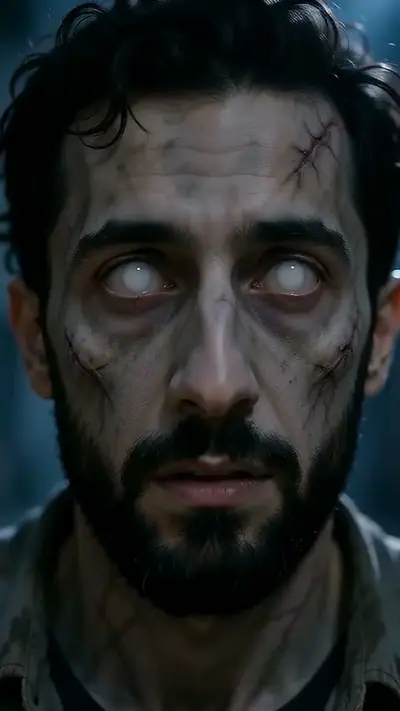
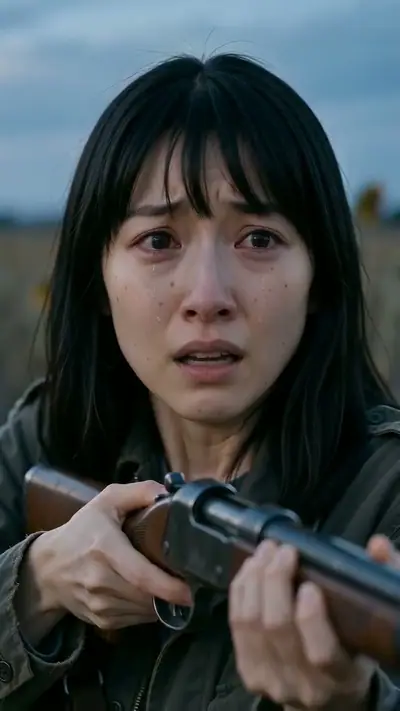
Create a Zombie Love Story AI Video

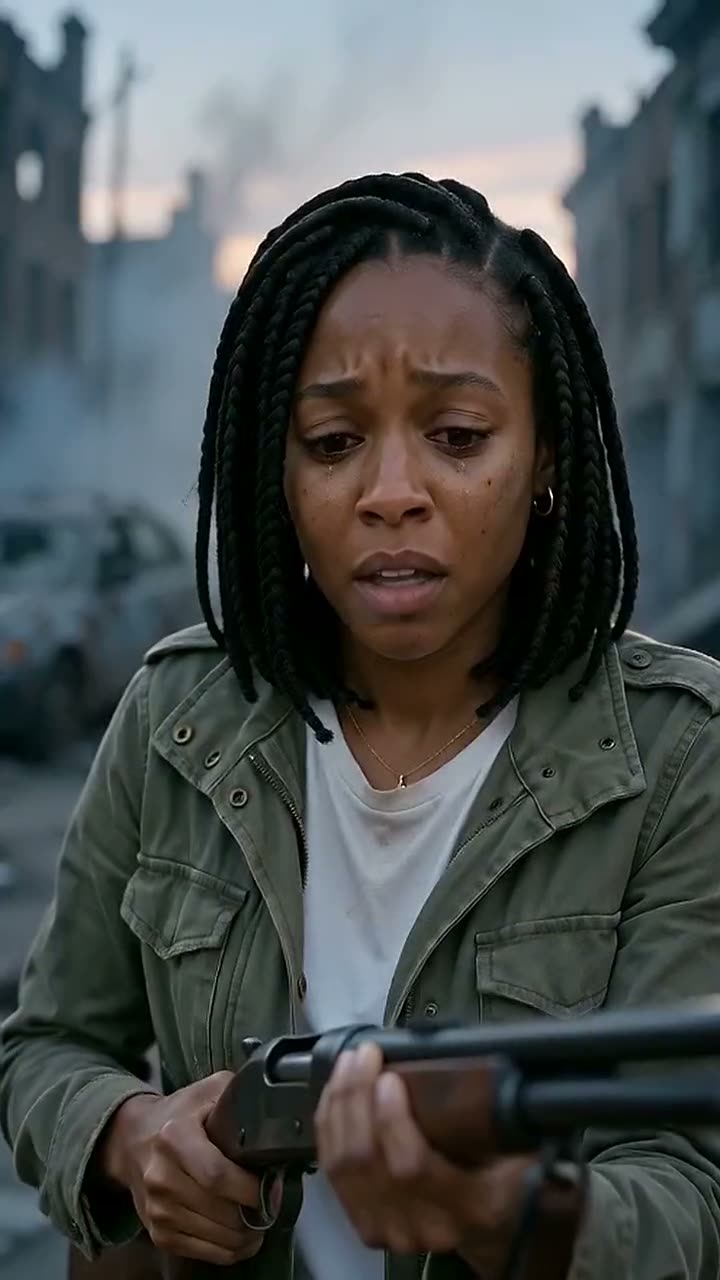
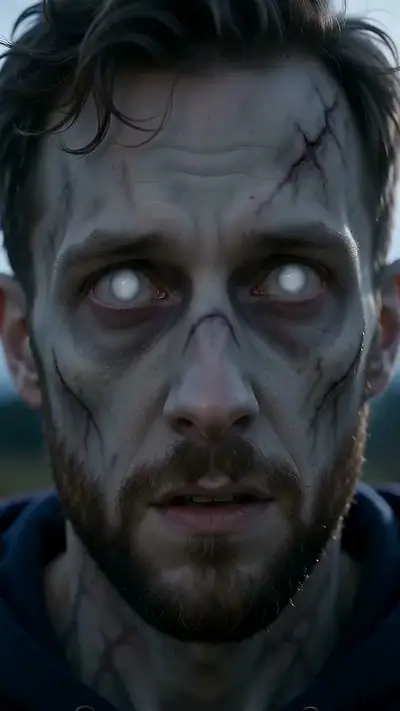
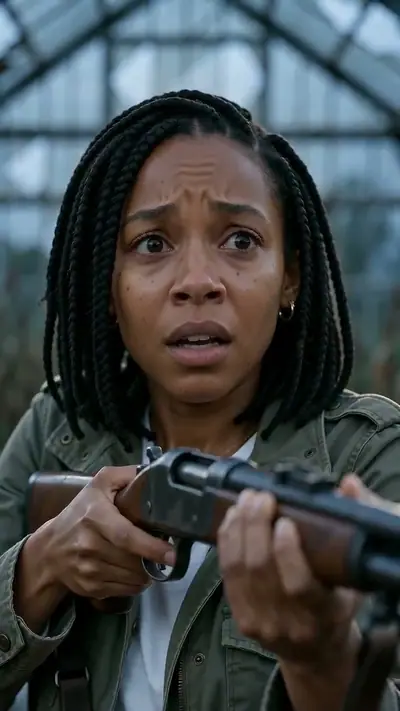
Love Story example: To get started, upload two portraits: one person turning and one staying human.

Make a cinematic zombie love story AI video using just two portraits. Choose who turns, watch the survivor lower their defenses, and share one last tender flashback before the end.

15 s9:16HD 720pWith soundTwo adult portraits.$9.90 = 2 videos (your story + 1 free role swap)

Person who turns

Person who stays

Aspect ratio
Variant

Acceptable use

Make my video · $9.90 for 2 videos

Stripe Checkout / PayPal

$9.90 = 2 videos (your story + 1 free role swap) · $4.95 per clip

Updated

Love Story example: To get started, upload two portraits: one person turning and one staying human.
The photo used for this example: Love Story

Love Story AI video examples

To get started, upload two portraits: one person turning and one staying human. Pick your background, check out, and Last Hug AI renders a 15-second 720p clip with audio in minutes. You will receive a private download link by email, along with an alternate version where the roles are reversed at no extra cost.

Generated

You get

Two adult portraits. Confirm your photo rights and that both adults agreed to be in the video. MP4, 15 s at 720p, 9:16. Model-generated sound. $9.90; about 3–6 minutes.

Make my video

What is the Love Story trend?

The zombie hug trend tells an unforgettable story in 15 seconds. A lone survivor spots their infected partner, who still remembers their love. Instead of running, the survivor lowers their guard and accepts the embrace. At the moment of contact, the scene cuts to a warm, sunlit memory from before the outbreak. Last Hug AI crafts this entire sequence from just two still photos. Choose a backdrop like a ruined street, sunflower field, pumpkin field, or marigold alley. Each HD video includes realistic sound and comes ready for phones or widescreen displays.

How to make a Love Story AI video in 3 steps

  1. 1. Upload Two Clear Portraits

    Choose one adult who turns and one who survives. Clear, front-facing lighting works best.

    Photo needed: Two adult portraits.

  2. 2. Select Your Scene and Shape

    Pick a ruined street, pumpkin field, sunflower field, or marigold alley, then choose vertical or landscape framing.

  3. 3. Review and Receive

    Complete checkout with Stripe. Your private video link arrives in your inbox within minutes.

What you upload and what you get

You upload

Two adult portraits.

Transform two still photos into an emotional 15-second story. A lone survivor encounters their transformed partner, drops their guard, and shares one final embrace before the scene flashes back to a brighter day. Last Hug AI brings this cinematic moment to life in minutes.

Use JPG, PNG, WebP, HEIC, up to 30 MB. Photos are resized before upload. You can swap the picture before you start. You must be 18 or older. Confirm your photo rights and that both adults agreed to be in the video. We delete uploads after 7 days and never use them to train models.

You get

MP4, 720p, 9:16, 15 s. Model-generated sound.

The $9.90 Single pack includes two 15-second HD 720p videos with custom audio. Your clip defaults to 9:16 vertical for phones, or you can switch to 16:9 widescreen with a single tap. Along with your main video, you receive a free role swap that flips who turns using the exact same photos. Direct download links arrive in your inbox with no account required.

$9.90 = 2 videos (your story + 1 free role swap) Compare packs before buying more credits.

Photo tips for a better Love Story video

Clear photos create the most striking videos. Follow these simple tips so the generator captures every facial detail before the infection takes hold.

  • Use solo portraits where each person looks straight into the camera.
  • Pick clear, even lighting with no heavy shadows covering the eyes.
  • Frame photos from the chest or waist up so shoulders remain visible.
  • Avoid sunglasses, wide-brim hats, heavy filters, and group shots.

What can go wrong with a Love Story AI video

Facial details look blurry

Upload sharp, well-lit portraits where faces are clear and unobstructed.

The wrong person turns

Swap the role order before ordering, or check your included free role swap.

Render fails to complete

If a render ever fails, your credits return to your account immediately so you can try again.

A generation that fails returns its credits automatically. If a delivered video has distorted details, email support@zombiecouplevideo.dev with its link for review.

Love Story AI video ideas

Looking for creative ideas? Here are a few popular ways couples and friends bring their apocalyptic stories to life.

A Cinematic Social Post

Share a dramatic narrative on TikTok or Instagram Reels that makes viewers stop scrolling and replay the final twist.

A Bittersweet Anniversary Clip

Celebrate an anniversary with a dramatic story showing love that outlasts the apocalypse, complete with a sunlit flashback.

A Long-Distance Surprise

Send your partner a mini-movie that pairs apocalyptic danger with a comforting memory of your time together.

A Role-Reversal Double Feature

Share both versions back-to-back using your main video and your included reverse-role clip.

Love Story AI FAQ

Is this service free to use?
No. A single payment of $9.90 covers two 15-second clips: your custom story and the same scene with the roles reversed at no extra cost. Bigger packs save more: Trio is $19.90 for 3 videos (6 clips with their swaps) and Ten is $49.90 for 10 videos (20 clips), and credits never expire.
Do you delete uploaded photographs?
Yes. We delete all uploaded photos from our servers after 7 days, and your finished videos remain private unless you share them.
How quickly will my video be ready?
Renders usually finish within a few minutes. We send a private download link directly to your email.
Can I get a refund if I change my mind?
If a render fails, your credit balance is restored immediately. You can also request a full refund on unspent credits within 14 days of purchase.
Do I need to register an account?
No registration is required. You only need to enter your email when paying through Stripe so we can deliver your download link.
Can I create widescreen videos?
Yes. While 9:16 vertical is the default for mobile feeds, you can choose 16:9 widescreen before starting your render.
How does the free role swap work?
Every purchase includes a free role swap automatically. We generate an extra version that switches who turns and who survives at no extra charge.
Are there requirements for who can appear?
Both participants must be consenting adults age 18 or older. Please ensure both individuals approve before uploading their photos.
How much does it cost?
$9.90 = 2 videos (your story + 1 free role swap).
Are photos private?
Private links; uploads deleted within 7 days. No model training.
How long until delivery?
Usually 3–6 minutes. Private links arrive by email.

Explore More Undead Styles

Browse our guides and themed video generators to explore every side of the cinematic trend.

Ready for Your Zombie Romance?

Make my video

No subscription needed. Pack credits never expire.